Release notes
v1.16.0
Versioned product changes, infrastructure updates, and fixes.
- v1.16.0Improvement
Read the situation, then start
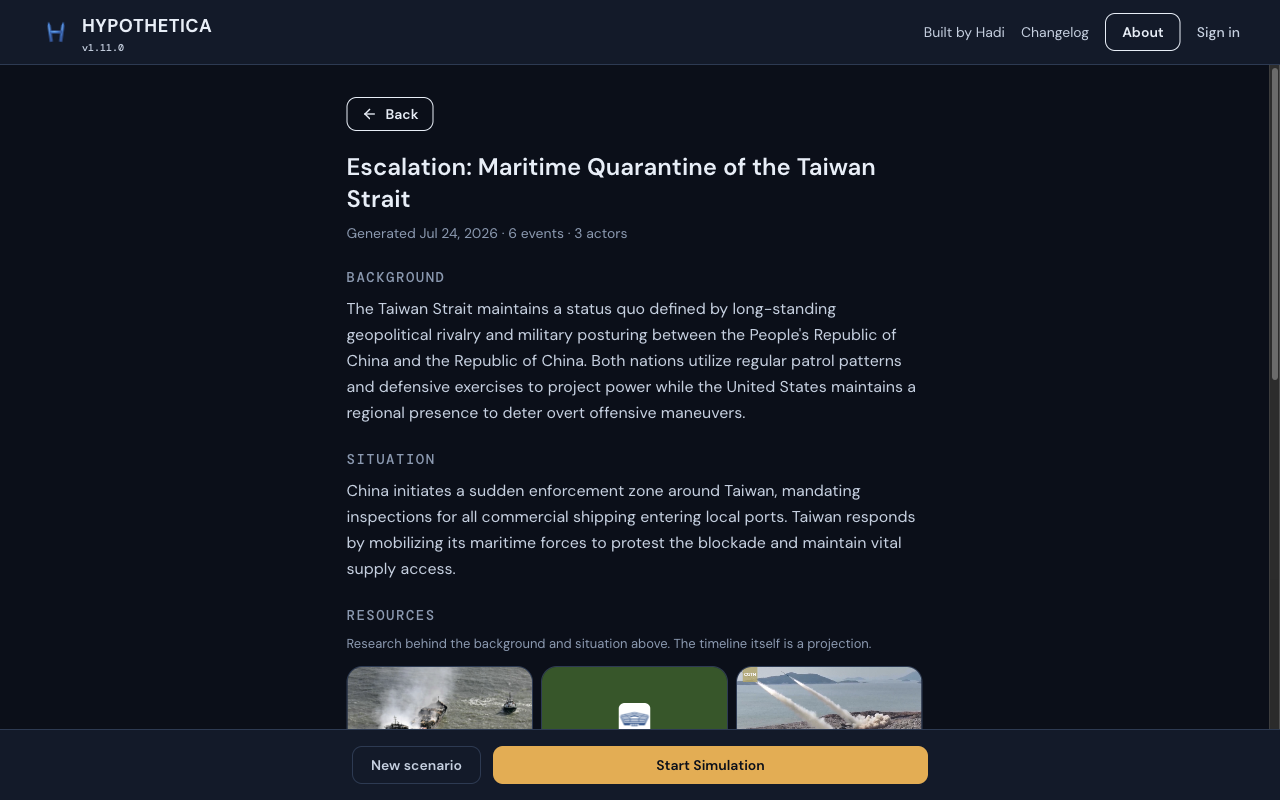
The briefing before you start is the same stop. It now sits on the globe as two cards, Situation on top. On a laptop, Start and New scenario sit next to Back; on a phone the bar stays at the bottom.
Before
After
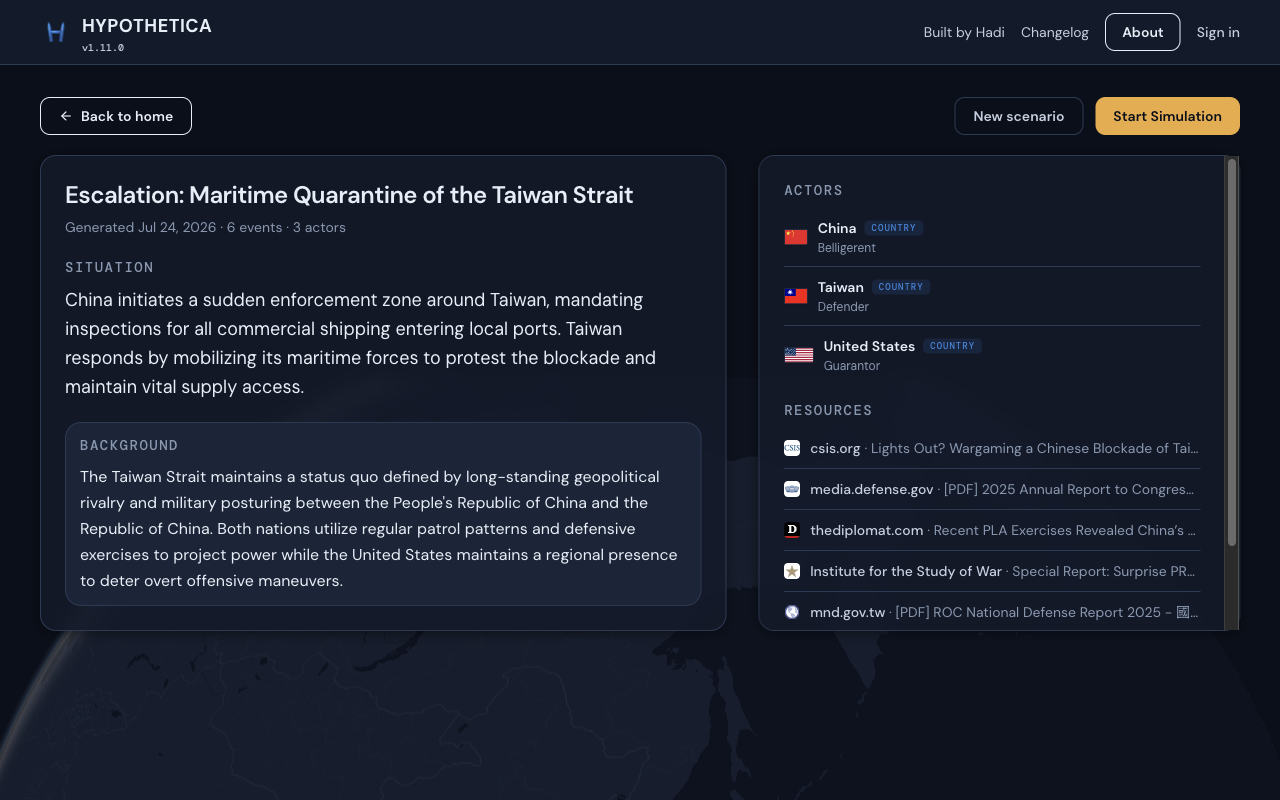
Taiwan Strait, first visit. Before: a stacked briefing page. After: situation and actors on the globe, Start on the toolbar. Briefing
- Situation is the first thing you read. Background sits under it, and disappears if there is nothing to say.
- Actors show as a short list with flags and roles, not long bios.
Layout
- On a wide screen, New scenario and Start sit on the toolbar next to Back.
- On a phone, the Start bar stays at the bottom, full width.
- v1.15.0Improvement
One box. Then we build it.
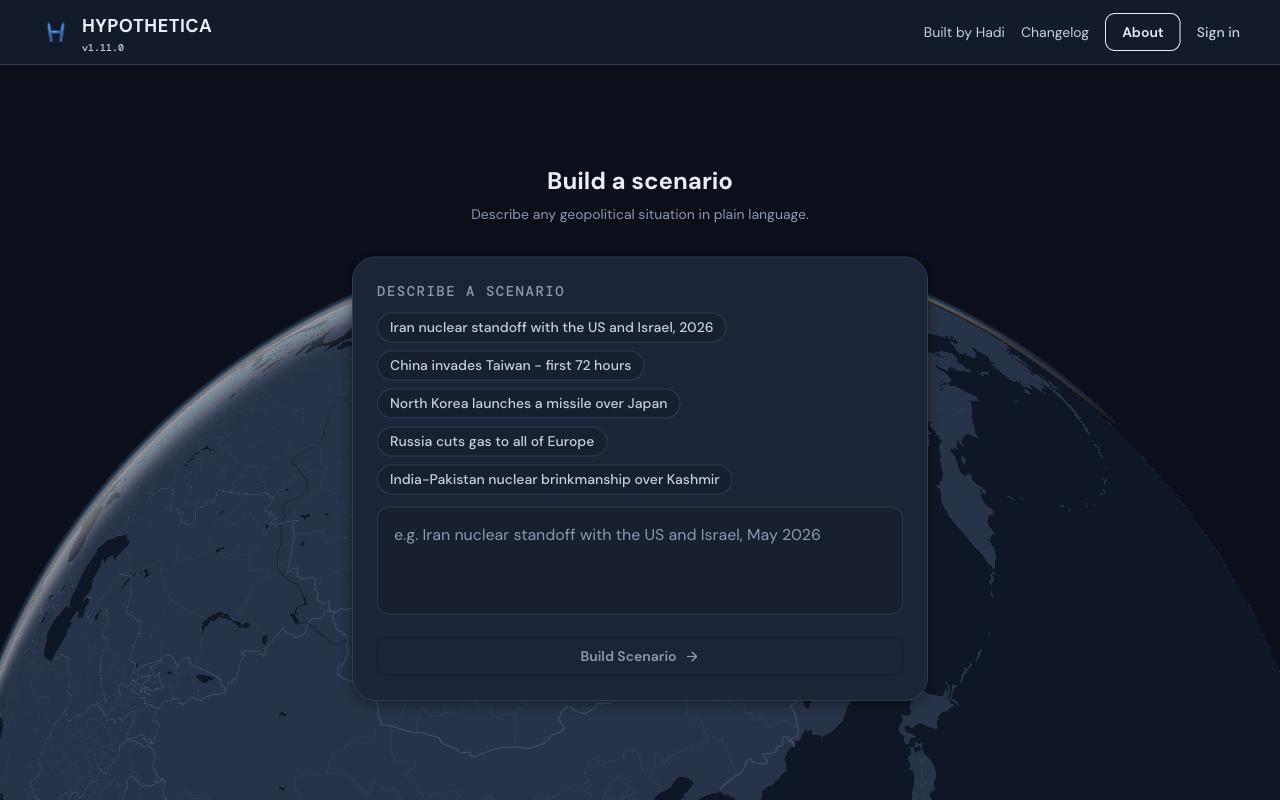
The build page is still where you type a what-if. The prompt is one large box on the globe, and while it runs the overlay names each step in ordinary English, with a clock and a way to cancel.
Before
After
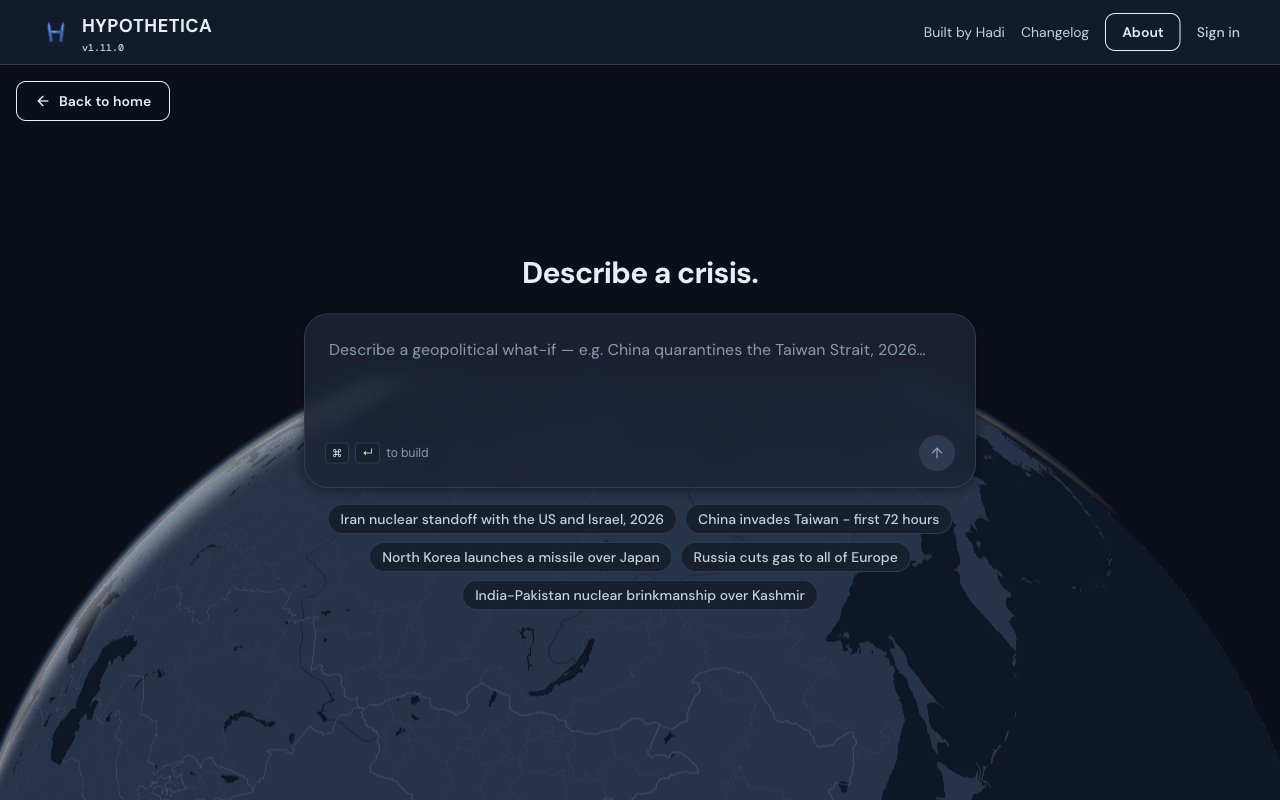
Same /build page. Before: a card of chips and a small box. After: one prompt, globe underneath. Build
- Type the what-if in one box. Cmd+Enter still sends it. Example crises sit under the box if you want a starting point.
- While we build, a panel says what is going on (finding sources, naming actors, writing the trail) instead of a generic loading state.
- A clock shows how long it has been running. Cancel stops the run if you change your mind.
- v1.14.0Improvement
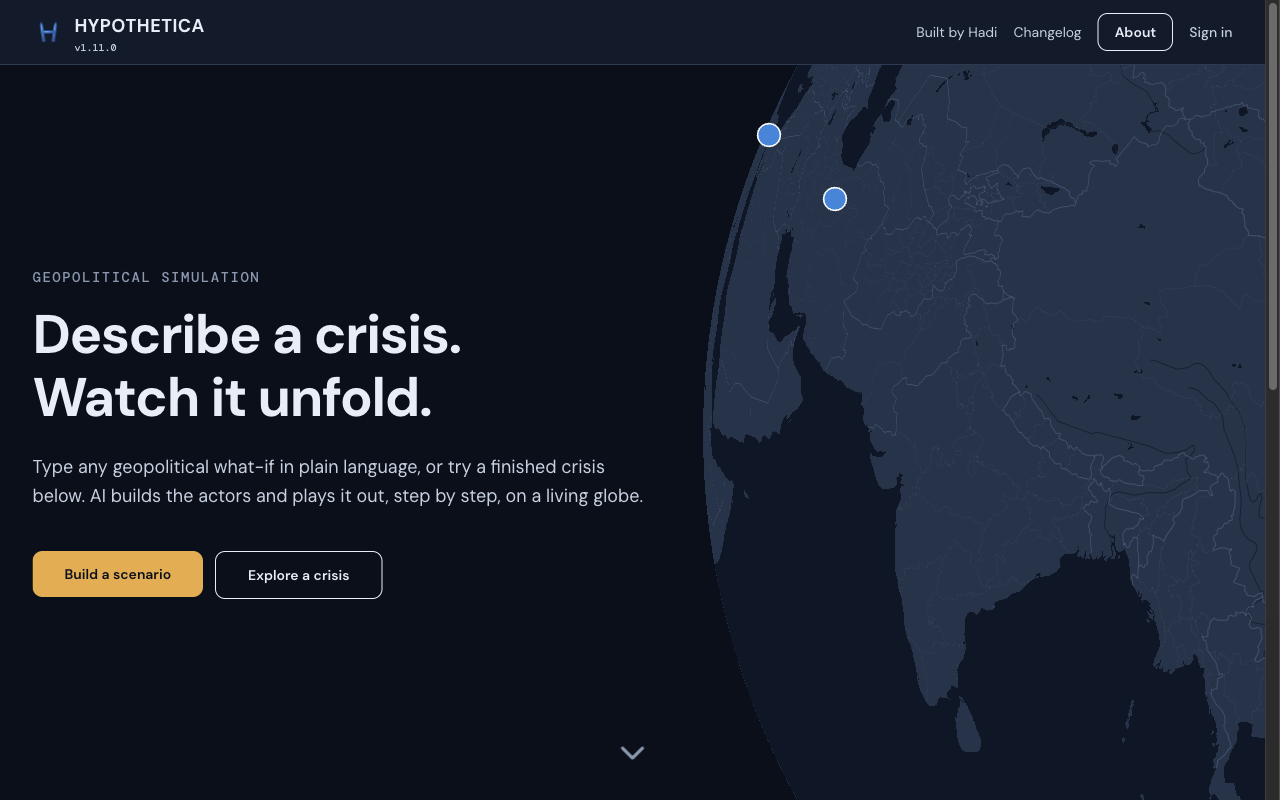
Home is already in a crisis
The landing globe is no longer idle. It plays a finished crisis while you decide what to do. Type your own in the box, or scroll down and open one that is already done.
Before
After
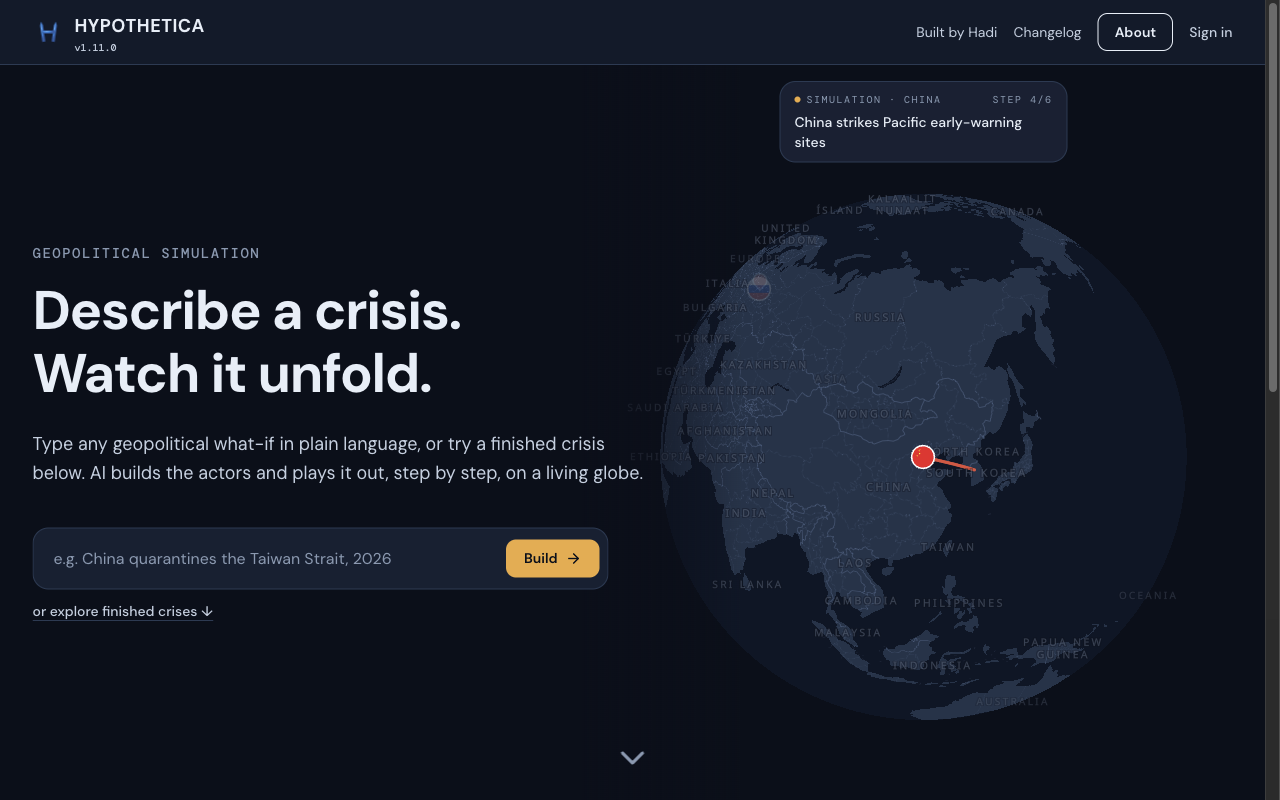
Same home page. Before: two buttons, a still globe. After: a prompt, and a crisis already moving on the map. Home
- The globe on the right is already mid-crisis: step caption, actor, strike trail.
- Type a what-if in the box and hit Build, or scroll to the gallery of finished crises.
- v1.13.0Improvement
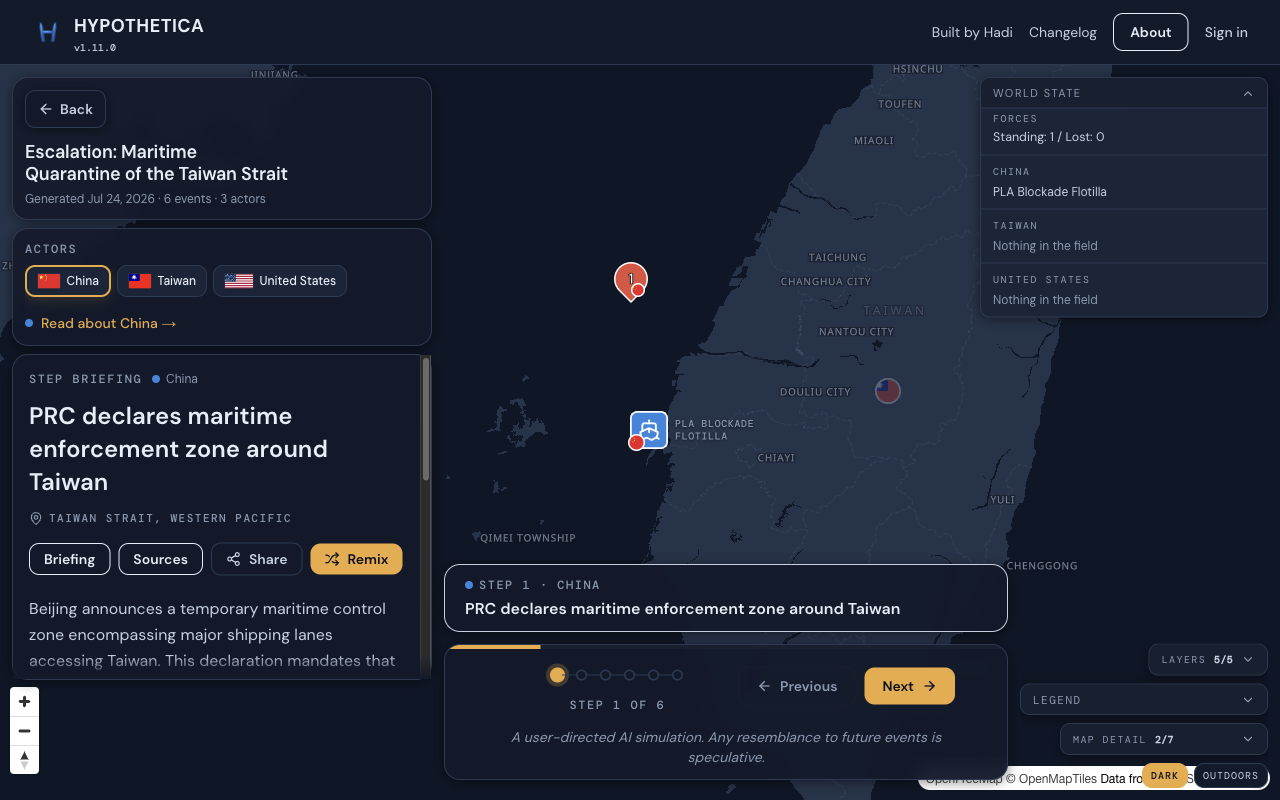
Labeled a simulation, on the map
The live map now carries a small Simulation notice, and the image you share does too. Easy to forget this is a what-if, not a wire story.
Before
After
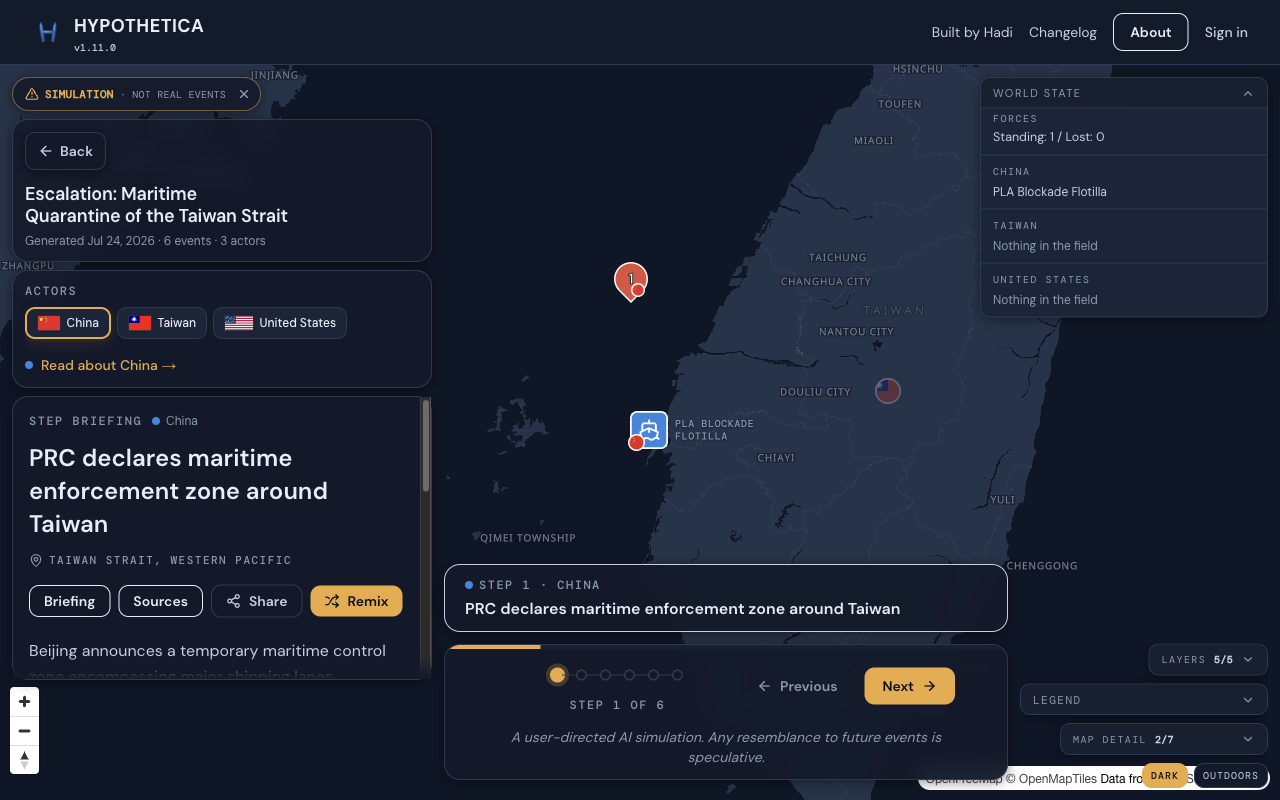
Same crisis, same camera. Before: no label. After: Simulation · not real events, on the map. Map
- A small Simulation notice sits on the live map. You can tuck it away if it is in the way.
- The share card uses the same wording, so a screenshot going around still says what it is.
- v1.12.0Improvement
Click a country, see its pieces
Hover or click a country and the forces and events that belong to it light with it. Tiny event pins grow when you hover, so you can tell them from the ones you are not looking at. If several events share a spot, the list now shows the kind of event next to each name. New scenarios keep overlapping ships apart, and a missile trail starts from the ship that fired it.
Map
- Click or hover a country on the map or in the actor row, and that country, its forces, and its events light together.
- Hover an event pin and it grows a little, so the one under your cursor is obvious.
Events on the map
- When several events stack on one spot, the popover list shows the kind icon next to each row (military, diplomatic, economic, information).
Forces
- New scenarios keep ships and units from spawning on top of each other when they can be told apart.
- A strike trail now starts at the force that fired, not a guess somewhere nearby.
- v1.11.0Improvement
The map remembers like you do
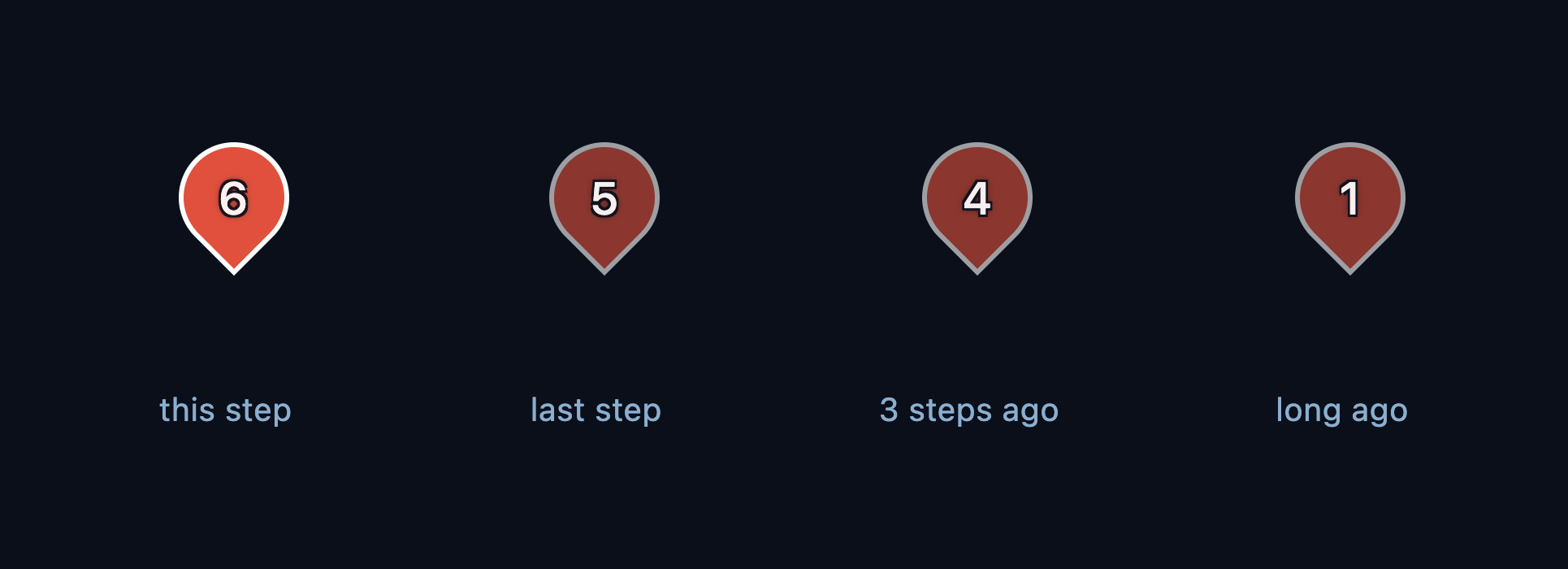
Older events now fade on the map. The current event is bright, the last few steps stay easy to read, and anything older recedes into the background — like the afterglow on a radar screen. Before, every past event looked equally old; now one glance tells you what just happened and what is ancient history.
Before
After
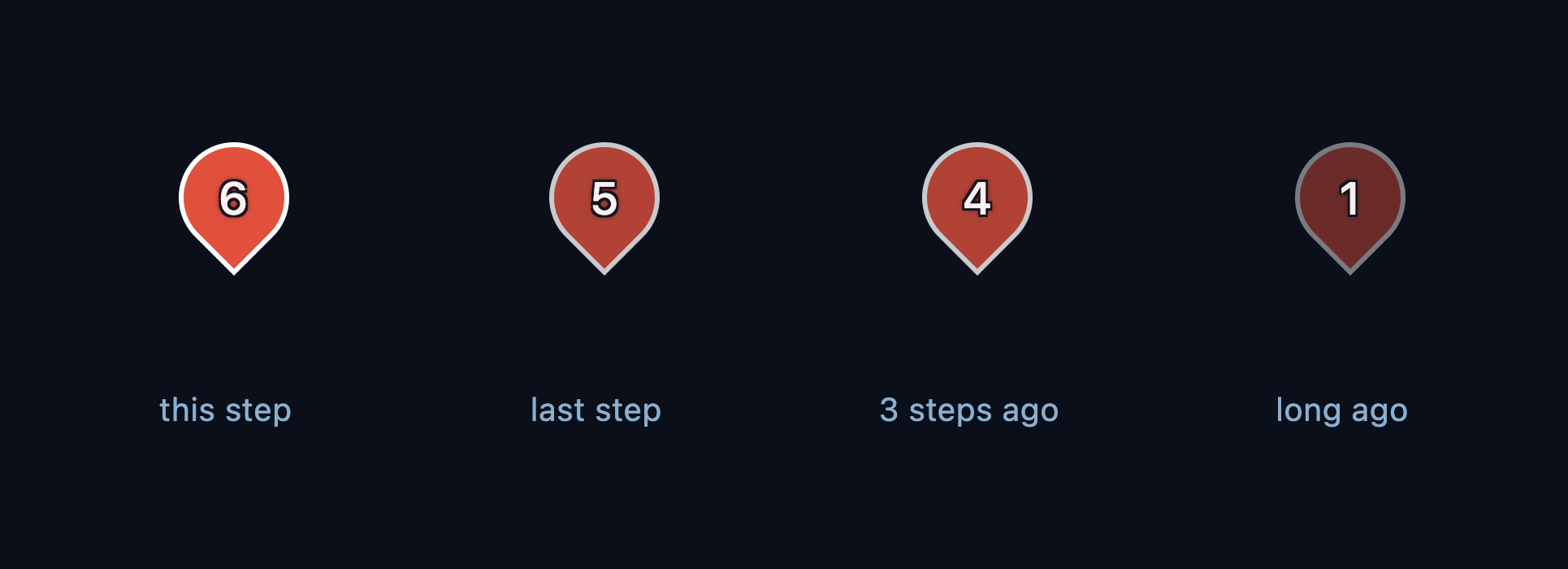
The fade levels, side by side. Before: past events all wore the same dimming. After: the last few steps stay readable while older history fades back. Events on the map
- Three brightness levels tell the age of every event: full for this step, lightly dimmed for the last three steps, strongly faded for anything older.
- Events dim on their own as the timeline moves forward — step through a scenario and you can watch history recede.
- The step numbers and event icons stay readable on faded pins, so old events are quieter but never lost.
- We verified it with blind-reader tests: with the old uniform dimming, readers could not tell recent from old events at a distance; with the fade, 9 out of 10 read the trail exactly.
- v1.10.0Feature
Events you can read at a glance
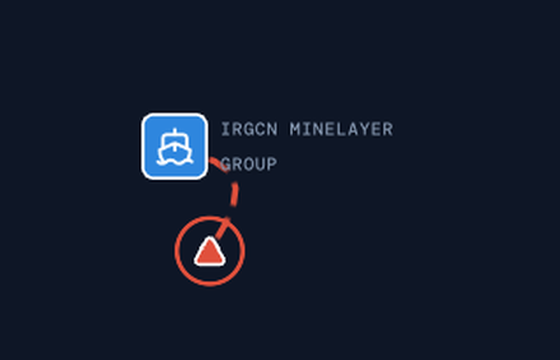
Events on the map are now map pins instead of triangles. Each pin shows the step it happened on, a small icon for the kind of event — military, diplomatic, economic, or information — and the flag of whoever did it. Before, a treaty signing and a missile strike looked identical; now you can tell them apart without opening the step text.
Before
After
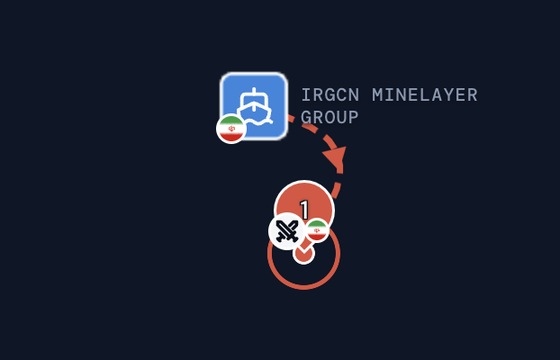
The same moment in the Strait of Hormuz. Before: a bare triangle. After: a pin that tells you it was step 1, a military action, by Iran. Events on the map
- Every event is a map pin whose point sits exactly where it happened.
- The number on the pin is the step it happened on, so you can retrace the story in order across the map.
- A small icon on the pin tells you the kind of event: crossed swords for military, a public building for diplomatic, a dollar sign for economic, a radio tower for information.
- The flag on the pin is who did it, and stacked pins mean several events share that spot — click to see the list.
- The map legend explains every icon, so nothing needs guessing.
Map
- When an event happens right where a force is sitting, the pin steps aside so you can read both.
- When a step involves two far-apart places, the camera pulls back far enough to keep both on screen.
- v1.9.0Feature
A real map under the crisis
The globe is now a real map you can zoom into — coastlines, cities, and as much street-level detail as you want. Steps also keep moving with less idle time, and landing-page markers that pass behind the Earth disappear instead of showing through.
Map
- Zooming in shows real geography — cities, islands, harbors — instead of a fixed picture that blurs up close.
- Two styles: the dark scenario map, and an outdoors style with terrain, both from Layers.
Map detail
- A "Map detail" control sets how much base map you see: Minimal (coastlines and borders), Standard (place names and terrain), or Full (down to streets and buildings).
- Your choice is remembered; mixing the individual toggles still works.
Steps
- After a strike or a force move, the next beat starts sooner — less sitting on a settled map.
- Beats in a step run back-to-back, so the scene keeps moving between parts.
Landing
- Pins that rotate behind the globe are fully hidden; they no longer show through the Earth.
Under the hood
- Landing, setup, and the scenario map share the same map engine; fonts are served from our servers.
- v1.8.0Feature
Where things stand
The map now keeps a running account of the crisis: what day it is, how far it has escalated, and what each side has lost. The date and escalation moved there from the step text, which is left to tell you what happened and where.
World state
- A panel on the map tracks the run: the date and time, and how far things have escalated.
- Losses are counted for each side. A destroyed force used to just vanish, with nothing left to show it had been there.
- Open the panel for the detail: what each side still has in the field, what was destroyed, and what pulled out intact.
Steps
- Each step shows the kind of event and where it happened. The date and the escalation level now sit on the map panel instead.
- A colour runs down the edge of the step text, deepening as things get worse.
Globe
- Strikes launch from where the force actually is. A force that moves into position moves first, then fires.
- A force that arrives and attacks in the same step now appears before the shot rather than after it.
- Forces destroyed by a strike fade as it lands, instead of disappearing a moment later.
- Less waiting between the parts of a step.
Event markers
- Events close together fold into one marker with a count, so a long scenario in one region stays readable.
- Click the group to see everything that happened there.
Small screens
- The map takes up half the screen on phones.
- The map key starts closed so it stops covering the map.
- v1.7.0Feature
Forces in motion
Naval, air, and ground forces now move across the globe. You can see where strikes launch, where they land, and what happens when many forces gather in one place.
Globe
- Watch forces move between locations, with a trail showing their path.
- Missiles and strikes follow a visible trajectory from launch to target, ending on a target marker.
- City labels stay readable around markers.
Crowded areas
- Forces close together form a numbered group to make it easier to follow.
- Close-range attacks stay easy to follow even when several forces occupy the same area.
Timeline
- Withdrawing forces leave before replacements arrive, making rotations and handovers clear.
- v1.6.0Feature
The globe remembers
The world map now keeps a visible record of the scenario: every event leaves a mark, so you can watch a crisis spread across the globe as the timeline unfolds.
Globe
- Past events stay on the map as dimmed incident markers. By the final step, the globe shows everywhere the crisis has struck.
- The current step's event keeps its full-strength marker and title, so "now" always stands out from history.
- v1.5.0Feature
The dark ops-room redesign
Hypothetica goes dark: a full tactical retheme with the globe as the centerpiece of the scenario screen, framed by floating panels instead of fixed columns.
Look & feel
- A new dark theme across the entire site. Clean, modern, and minimal.
Scenario screen
- The globe now fills the whole screen, with the scenario panel and timeline floating on top.
- Collapse the side panel to go full-globe; the camera reframes so your focus stays centered.
- v1.4.0Feature
Fair-use generation limits
Clear daily limits keep simulations fast and free for everyone, with live reset timers and a waitlist when capacity fills up.
Quotas
- Guests get 10 free actions. Building a scenario, continuing a timeline, and intervening each counts as one action.
- Create an account for 30 actions per day, with everything you built as a guest carried over.
- When you hit your daily limit, the reset time shows in your local time with a live countdown.
- v1.3.1Fix
Quality-of-life updates
Small polish pass across the globe experience.
Globe
- Country fills no longer tear into gaps when zoomed in close.
- v1.3.0Feature
Remix & share your timeline
Turn any shared scenario into your own with one click, and share it anywhere.
Sharing
- Share directly to X or WhatsApp or copy the link
- Every shared scenario now generates its own preview image, with a globe, title, and actor flags, when the link is pasted elsewhere.
Remix
- Remix any shared scenario into your own private copy in one click.
- v1.2.1Infra
Privacy & Cookie policies
Read how Hypothetica handles your data. Linked from the footer.
Privacy
- New Privacy Policy covering what we collect, how we use it, and your rights.
- Request access to, or deletion of, your data by email.
Cookies
- New Cookie Policy detailing the cookies and tracking technologies we use.
- v1.2.0Feature
Accounts & My Scenarios
Create an account to keep scenarios across devices. Sign in with Google or email, and browse everything you own in My Scenarios.
Auth
- Sign in with Google, email and password, or a magic link.
- Anonymous builds still work. Your scenarios transfer to your account when you sign up or sign in.
My Scenarios
- Open My Scenarios to see every scenario you've built.
- Filter by private or shared and sort by newest or status.
- Share or toggle visibility from each scenario card.
- v1.1.0Feature
Changelog & mobile nav
Changelog page and mobile navigation menu.
Releases
- See how Hypothetica has evolved over time.
Navigation
- Updated navigation menu for small screens to ensure the header isn't cluttered.
- v1.0.0Feature
Hello world 🚀
First public release of Hypothetica: describe a crisis, watch it unfold on a globe, step through the timeline, intervene to rewrite what happens next, and share the result.
Setup
- Turn a single prompt into a research-grounded geopolitical timeline.
- Watch live construction progress while actors and events are generated.
- Continue the timeline in four-step increments, up to 22 events.
Auth
- No accounts, no passwords, no PII.
Presets & gallery
- Browse curated preset scenarios on the landing page.
- Open any gallery scenario without building your own.
Briefing
- Start each new scenario on a dedicated briefing screen before the globe loads.
- Read background world state and the post-premise situation separately.
- Review every actor dossier before you enter the simulation.
- Reopen briefing from the command bar at any time.
Globe
- Explore every scenario on an interactive 3D globe.
- See countries, organizations, and individuals as distinct marker shapes.
- Cluster nearby actors when zoomed out; expand them as you move in.
- Fly to an actor when you select their card.
- Pin event locations on the map for each timeline step.
Timeline
- Step through events one at a time with headline and narrative copy.
- Jump to any past step from the timeline dots.
- Track progress with a step counter and full-width progress bar.
Actors
- See who is driving each event in a horizontal actor strip.
- Open full actor dossiers in a slide-out detail panel.
- Country flags and organization emblems on cards and globe markers.
Intervention
- Rewrite what happens next at any step in the timeline.
- Preview the rewritten timeline before you accept the change.
- Your intervention becomes the new premise for later events.
Sharing
- Publish a scenario to the web with a single toggle.
- Copy a public link when a scenario is shared.
- Return a shared scenario to private at any time.